Open Source · MAY 29, 2026 · 6 MIN READ
prompt-vfx: Visual Effects, Generated From Prompts
A prompt is a specification. "Snow drifting in a soft wind." "A glowing field that pulses with the cursor." "Text that scrambles then resolves." Each one describes a visual effect precisely enough that it maps almost directly to code. prompt-vfx is the gallery that proves it: 162 self-contained effects, each born from a one-line prompt, each rendered live in your browser. Today we are open-sourcing the whole thing.
One Cell, One Effect, One Prompt
The page is a responsive grid. Every cell is exactly one effect, and every effect started life as a sentence. Click the small P badge on any cell and it reveals the prompt that produced it — the gallery is its own documentation. The point is not just to look pretty; it is to show how directly natural language maps to motion when the contract between prompt and code is tight enough.
Three Tiers of Motion
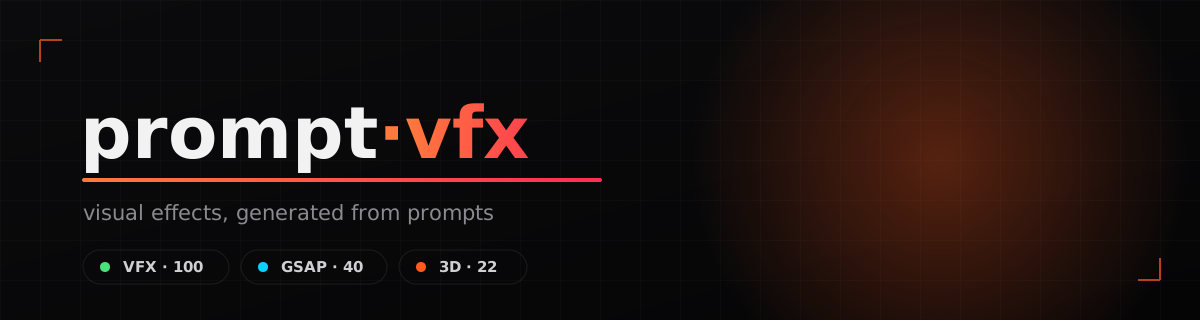
The 162 effects split across three rendering tiers, each suited to a different kind of visual. Canvas handles particles and fields, GSAP drives precise timeline choreography, and WebGL runs fragment shaders and true-3D scenes — all pointer-reactive.
| Tier | Count | Tech | Examples |
|---|---|---|---|
| VFX | 100 | 2D canvas + DOM/CSS | Snow, embers, boids, fireworks, metaballs, voronoi, ASCII rain |
| GSAP | 40 | GSAP 3.13 timelines | Morphing, motion paths, FLIP, DrawSVG, scramble text |
| 3D | 22 | Three.js r137 / WebGL | Plasma, fluid, kaleidoscope, raymarched SDFs, aurora, caustics |
Only What You Can See Is Doing Work
Rendering 162 live effects at once would melt a laptop. So the grid lazily mounts each effect on first scroll into view via an IntersectionObserver. A per-cell lifecycle pauses offscreen cells and tears them down on tab switch. GSAP timelines are killed with their cell; the WebGL tier shares one renderer and blits per cell. The result is a gallery of hundreds of effects that only ever animates the handful in your viewport.
Write an Effect From a Prompt
The 3D tier defines a tiny contract so a prompt maps straight to code. Register a fragment shader with the prompt as a first-class argument — uniforms for time, resolution, and mouse are provided — or return a full Three.js scene with a per-frame update. That is the entire authoring surface.
// Fragment shader — uniforms u_time, u_resolution, u_mouse provided.
R3('my-effect', 'My effect', 'a glowing field that pulses with the cursor', fragEffect(`
  void main(){
    vec2 uv = gl_FragCoord.xy / u_resolution;
    gl_FragColor = vec4(uv, 0.5 + 0.5*sin(u_time), 1.0);
  }
`));
No Build, No Dependencies
The whole thing is static. Serve the folder with any HTTP server and open it — no bundler, no install, no toolchain. It ships on GitHub Pages as-is. That constraint is deliberate: a gallery of web effects should be readable and runnable by anyone, with nothing between the prompt, the code, and the pixels.
python3 -m http.server 8000
# → open http://localhost:8000/
Why We Built It
We build interfaces where motion carries meaning, and we kept rewriting the same canvas loops, GSAP timelines, and shader boilerplate. prompt-vfx is the reference library we wanted: a place to describe an effect in words, see it running, and copy a self-contained module straight into a project. It is also the clearest demonstration we have of a principle we keep returning to — when the contract is tight, a prompt is production code.
this note evidences a capability — Creative Solutions ↓